
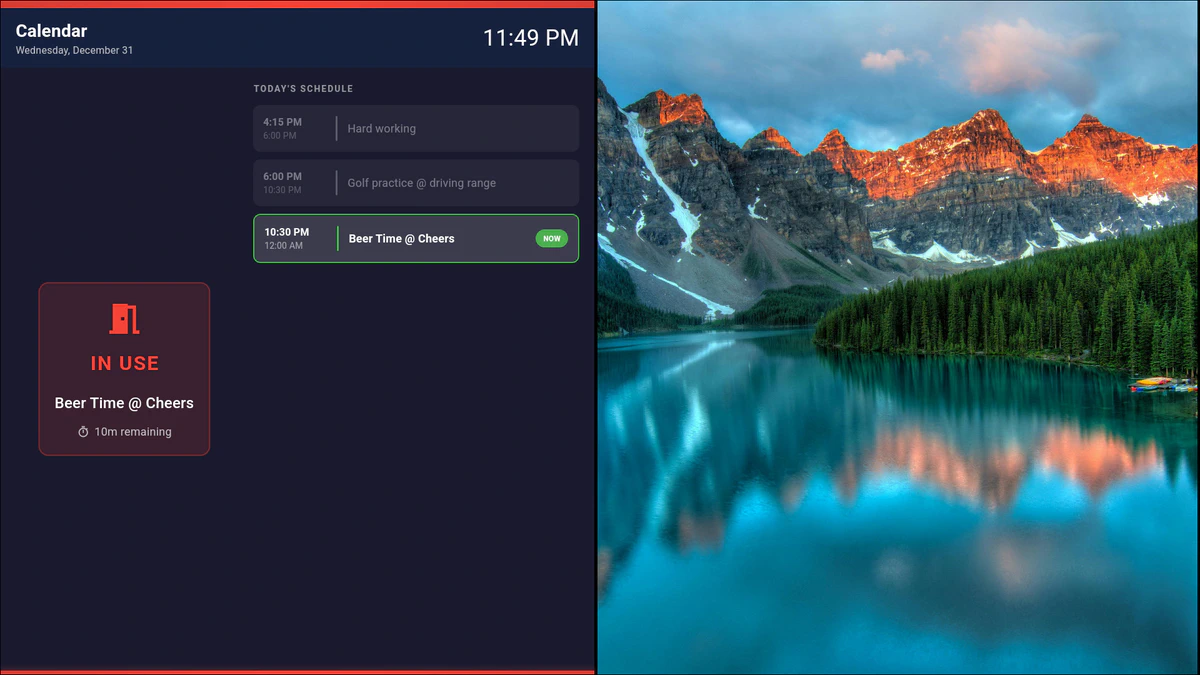
Smart Calendar Displays
Transform any screen into a dynamic calendar display. avSign.lite makes it easy to show events, schedules, and time-sensitive content—perfect for offices, schools, churches, and community centers.
Key Features
- Multi-Week View: Display upcoming events in a clean, readable monthly or weekly format
- Color-Coded Events: Organize different event types with distinct colors
- Automatic Updates: Connect to external calendars or manage events directly
- Time-Based Content: Schedule different content to display at specific times of day
Use Cases
Meeting Room Displays: Show today’s room bookings and availability at a glance. Perfect for conference rooms and shared spaces.
Church & Community: Display service times, upcoming events, and weekly schedules. Keep your congregation informed without constant bulletin updates.
Schools & Education: Show class schedules, exam dates, and school events. Great for hallways and common areas.
Event Venues: Display daily agendas, session topics, and speaker schedules for conferences and workshops.
Schedule-Based Playlists
Go beyond static calendars—create playlists that change automatically based on time:
- Morning: News and announcements
- Midday: Lunch menu and specials
- Afternoon: Event reminders and upcoming activities
- Evening: End-of-day messages and tomorrow’s preview
Integration Options
- Manual Entry: Create events directly in avSign.lite
- CSV Import: Bulk import events from spreadsheets
- Google Calendar: Sync with your Google Calendar (requires network)
- Offline Support: Calendar content works even without internet
No Subscription Required
Unlike cloud-based solutions that charge monthly fees for calendar features, avSign.lite includes calendar displays in every license—one-time purchase, no recurring costs.